
PK 555 Game APK Download Free in Pakistan For Android 2026
07 Oct 2026
13MB
V1.0
Android 5.0+
2000+
Description
PK 555 Game is a mobile gaming service that brings several game types together in one place. The information associated with it mentions card and board games, slots, Ludo, Teen Patti, Dragon vs Tiger, Mines, and Crash Game.
This guide explains the main game categories, Android APK access, iPhone browser use, account setup, payment information, privacy checks, and common installation problems. The aim is to give readers a clear picture of the service without adding claims about popularity, guaranteed results, or individual experiences.
What PK 555 Game Includes
PK555 is the shorter form sometimes used for the same name. Readers may also use PK555 when searching for the service. PK 555 Game is described as a multi-game service rather than a single game. Its listed categories include card and board formats, along with titles such as Ludo, Teen Patti, Dragon vs Tiger, Mines, and Crash Game.
The PK 555 Game menu shown on a device is the practical place to check the titles currently offered. This is especially useful when a game list has been copied from an older page.

Game Categories In One Place
The current PK 555 Game selection covers several familiar styles. Ludo and Teen Patti fall into the card and board side of the service, while Dragon vs Tiger, Mines, and Crash Game provide different formats. Slot-style games are also mentioned.
PK 555 Game can have its own rules and layout for each section, so readers should open the relevant game area and read its instructions before starting. A title appearing in a general description does not explain how that particular game works.
PK 555 Game is best understood as a collection of different sections rather than one fixed game. The menu can be used to identify the choices available on the device. Also try 88FD Game.
Android APK Access Explained
For PK 555 Game on Android, the APK is the file used to install the application. APK stands for Android Package Kit and is a standard Android installation format.
To install an APK, download the file, open it on the phone, and follow the prompts displayed by Android. The device may show a warning when the file comes from outside a normal app store. Read that message before allowing the installation.
The source of the file matters. A page using the PK555 name does not automatically prove that its APK is genuine. Check the page, file name, application details, and permissions before proceeding.
If Android refuses to install the package, do not immediately turn off security settings. The file may be incomplete, incompatible with the device, or affected by a storage or system issue.
Checking The APK Before Installation
Before opening the file, check where it came from and whether the details match the application you intended to install. Android also shows requested permissions during the installation process. Read them carefully and consider whether they make sense for the app.
A large or unusual permission request deserves extra attention. There is no reason to rush through an installation just because a download button is available.
For PK 555 Game, these checks help separate the service from files that may be shared elsewhere. If a package looks unfamiliar or behaves differently from what you expected, stop and investigate rather than continuing.
iPhone Access Through Browser
For PK 555 Game, iPhone and iPad access is described differently from Android access. Instead of installing an APK, users can open the service through a web browser.
Safari can be used to open the relevant page, and a browser shortcut may be added to the Home Screen for easier access. A shortcut does not mean that an Android application has been installed; it simply provides quicker access to the web page.
The APK belongs to Android, while browser access works through the device’s web browser. An iPhone cannot install an Android APK as an iOS application.
Setting Up An Account
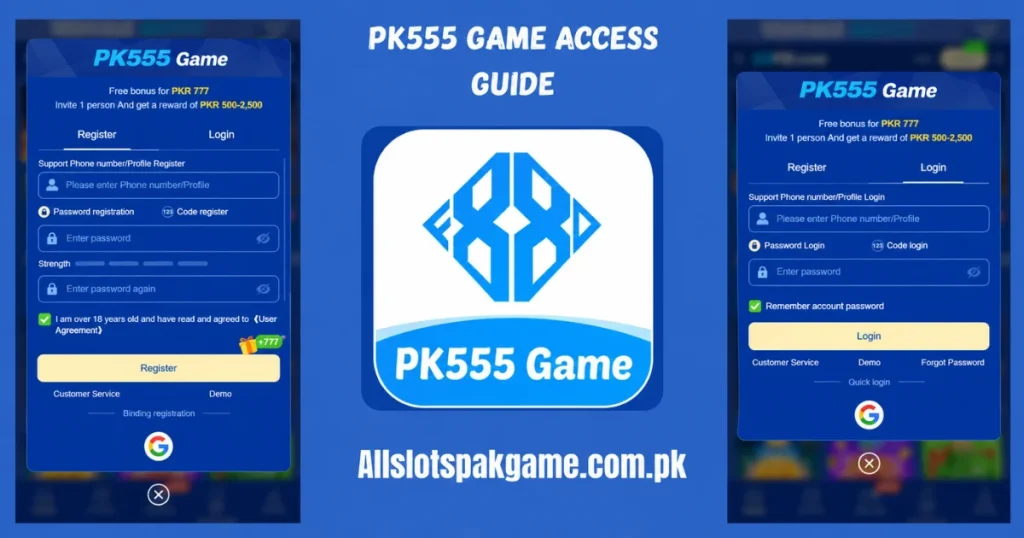
The account process for PK555 starts with opening the service and choosing an available login or guest option. The registration flow then includes entering details such as an email address or phone number and creating a password. OTP verification may also be part of the process.
Follow the labels shown on the screen rather than relying on an old step list. After registration, keep the password private and never give an OTP to another person.
If the account uses a profile or binding option, enter your own contact details carefully. Incorrect information can make later account access more difficult.
Payment Options And Conditions
JazzCash, Easypaisa, and bank transfer are mentioned as options for PK 555 Game. The PK 555 Game payment choices can depend on the account or interface being used, so check the payment section before entering any details.
Read the displayed conditions carefully, including any limits or account requirements. Use accurate information when adding a payment method, and avoid sending account credentials to anyone claiming to arrange a transaction for you.
Bonuses And Other Features
PK 555 Game is described with several promotional features, including welcome, daily, weekly, monthly, referral, and VIP bonuses. Their availability and conditions should be checked before use because a bonus can have its own requirements or restrictions.
A Lucky Wheel is also mentioned as a feature that may display different rewards. The options can depend on the account.
These features should be read as part of the service’s promotional area rather than as guaranteed benefits. Any conditions shown beside a bonus or special feature are more important than a general description of it.
Privacy And Account Protection
Account access can involve personal details such as a phone number, email address, password, or verification code. Keep this information private and avoid sharing it through messages or unofficial support channels.
Before installing the APK or entering account details, check the page you are using and the permissions requested by the application. If a request seems unrelated to the service, pause and review it.
Do not assume that a logo, copied description, or download page proves the identity of a file. The safest approach is to check the source and the details shown on the device before continuing.
Common Installation Problems
An APK may fail to install for several ordinary reasons. The download can be incomplete, the package may not match the Android device, storage may be low, or a device setting may block the installation.
Start with the basics. Check the connection, confirm the file finished downloading, and make sure there is enough storage. If Android displays an error message, read it instead of repeatedly opening the same file.
Browser access can have similar simple problems. A page may fail to load because of a connection issue, browser cache, or a temporary service problem. Reopening the browser and checking the connection can help identify the cause.
For login problems, check the entered phone number, email, and password. If a recovery option is available, use it rather than sharing account details with another person.
Using The Service Responsibly
Information about PK555 should help readers understand PK 555 Game, not suggest that a particular result is guaranteed. Game outcomes can differ, and promotional features should not be treated as a promise of a specific result.
Set a personal limit before using any feature that involves spending. Do not chase losses or use money needed for essential expenses. Taking breaks is also a sensible way to avoid long, impulsive sessions.
Rules matter as well. Read the instructions for a game before using it, especially when a section has its own conditions. If a feature or requirement is unclear, pause and check the information shown on the service.
Pros And Limitations
| Pros | Limitations |
|---|---|
| Several game categories are described | The available game menu can differ |
| Android access uses a familiar APK format | The APK source should be checked carefully |
| iPhone access can be handled through a browser | Browser access is not an iOS APK installation |
| Account setup includes common verification steps | Registration screens can differ |
| Installation and access issues can be checked step by step | Payment options may depend on the account |
Frequently Asked Questions
Can an iPhone install the APK?
No. An Android APK is not an iPhone application. iPhone and iPad access is described through a web browser.
Which games are mentioned?
The listed PK 555 Game options include Ludo, Teen Patti, Dragon vs Tiger, Mines, Crash Game, and slot-style options, along with broader card and board categories.
Are JazzCash and Easypaisa available?
They are mentioned in descriptions of the service, but the payment section should be checked for the options available to a particular account on the platform.
What should I check before installing an APK?
Check the source, application details, permissions, storage, and any security warning shown by Android before completing the installation.
Final Overview
PK 555 Game brings several game categories together and provides different access routes for mobile devices. Android users can look for the APK installation route, while iPhone and iPad users can use the browser-based option described for the service.
The most useful things to understand are the difference between an APK and browser access, the account setup process, payment conditions, privacy checks, and basic troubleshooting. Game menus, account screens, promotional features, and payment choices should be checked where they appear rather than assumed from an older description.
PK 555 Game is easier to understand when each part is treated separately: games explain the available categories, the APK section covers Android installation, browser access covers iPhone use, and the safety sections deal with account and device checks. This keeps the guide practical, clear, and focused on information readers can actually use.
Download links
How to install PK 555 Game APK Download Free in Pakistan For Android 2026 APK?
1. Tap the downloaded PK 555 Game APK Download Free in Pakistan For Android 2026 APK file.
2. Touch install.
3. Follow the steps on the screen.