
88 FD Game APK Download New Earning APP In Pakistan 2026
06 Oct 2026
13 MB
v1.1
Android 6.0+
3000+

Description
88 FD Game is discussed online as a mobile game platform with several sections under one service. Public pages describe it in different ways, so details such as the current version, game list, device support, and download method should not be treated as fixed. This 88 FD Game guide focuses on practical use, installation, account access, privacy, and common problems without presenting unverified claims as facts.

What Is 88 FD Game?
88 FD Game is a name used for a digital game service that appears across several third-party websites. Those pages do not all give the same technical details. Some list Android APK files, while others also claim web or iOS access. Because the information conflicts, readers should check the actual page they are using before relying on a version number, developer name, or device requirement.
This matters when choosing an APK. A website using the 88FD name is not automatically the original publisher. Before downloading a file, look at the domain, page information, file details, and any available privacy or support information. Also try BK999 Game.
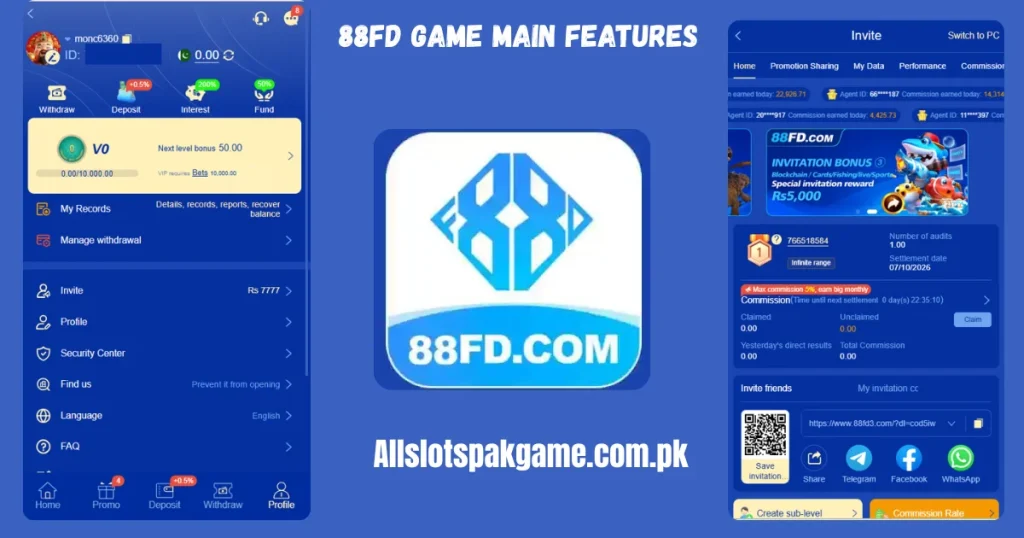
Main Features of 88 FD Game
Mobile-Oriented Access
88 FD Game is commonly presented on mobile-focused pages, with APK downloads and phone-based instructions. The exact access method is not consistent across public listings, so the current page should be checked before describing Android, iPhone, or browser support as confirmed.
Game Sections
Public descriptions mention more than one type of digital game, but the lists are inconsistent. Instead of naming a long list from third-party pages, use the categories that are actually visible in the current version you are reviewing.
Navigation
88 FD Game is easier to use when its main menu, section links, and account controls are clearly arranged.
Account Controls
Where registration is offered, the account area may contain login, profile, settings, or support options. The exact controls should be confirmed on the current screen before they are described as part of the service.
Version Differences
Different public listings currently show different version numbers and file sizes. That makes a single “latest version” claim unreliable unless it is checked against a source that can be independently identified.
Games and Sections
The current 88 FD Game menu is more useful than a copied category list. Open the platform and note the names that are actually displayed. A section may use its own buttons, rules, or instructions, so users should read those details before moving through it.
This approach also prevents an old article from being mistaken for a current product description. If a category is no longer visible, there is no reason to keep presenting it as a current feature.
How to Use 88 FD Game
Start 88 FD Game from the page or application source you have checked. On the opening screen, identify the main navigation and the sections that are available.
If an account option is shown, use the registration or login screen provided by that version.
When using 88 FD Game, open a game section and read its instructions first. Controls can differ between sections, so a method that applies to one screen should not automatically be assumed to work on another.
How to Install 88FD APK
Only install an APK when you can identify where the file came from. Search results contain conflicting 88FD file information, so a result alone is not proof of an original file.
For an Android APK from a source you have independently checked:
- Download the file from the identified page.
- Wait until the download finishes.
- Open the file from your downloads or file manager.
- Read the Android installation prompt.
- Allow the requested installation action only when you understand why it is needed.
- Complete the installation and open the application.
- Review the permissions requested by the app.
Android may block an installation from outside its normal app store. The exact setting and wording can differ between Android versions. Follow the message shown by your device rather than using an old instruction that may not match your phone.
Creating an Account
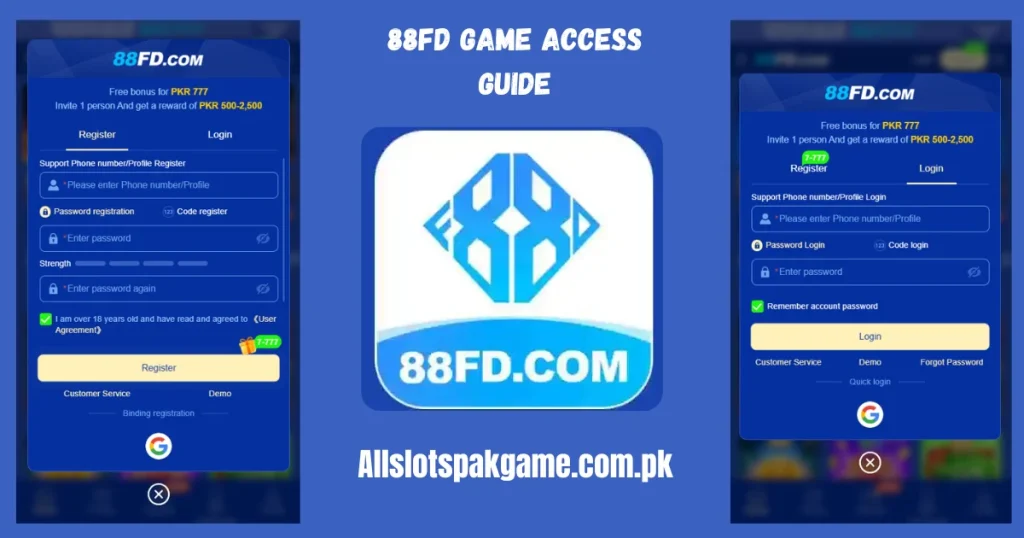
If the current version provides registration, open the sign-up page and complete only the fields it requires. Use a password that is not shared with other accounts.
Some services may ask for a verification step during registration or login. Keep codes private and enter them only on the page you intended to open. After creating an account, review the available profile and settings pages.
Safety and Privacy Checks
Source checking is only the first step. Before installing an APK, review the requested permissions and consider whether they make sense for the application’s stated function. A request that appears unrelated deserves extra attention. Also review any privacy policy or data-use information that is available.
Keep passwords, verification codes, and account recovery information private. If you notice unfamiliar account activity, use the service’s available account or support controls rather than sending private details to an unknown contact.
Basic Rules and User Guidance
Each section should be treated according to its own instructions. Read the current rules shown on the page or inside the application before using a feature.
Do not rely on screenshots, promotional text, or old guides as proof of how a current section works. If the instructions on the current screen differ from an older article, follow the current instructions.
The same principle applies to claims about outcomes, rewards, account benefits, or other conditions. Such details should come from current, identifiable information rather than assumptions made by a third-party writer.
Common Installation and Access Problems
If an installation fails, start with the exact Android message. Low storage can stop an installation, while an incomplete or incompatible package can produce a different error. Check the specific cause instead of repeatedly opening the same file.
If a download stops, check the connection and confirm that enough storage is available. If the page itself does not open, refresh it and try the current browser version. Do not replace a failed download with an APK from an unrelated site without checking its source.
If the application opens but a feature does not work, first check whether the issue is limited to that section. For login problems, use the account recovery or support option shown by the service. Never send a password or verification code to an unofficial contact.
Simple Tips for New Users
- Check the source before downloading any APK.
- Read the installation message on your phone.
- Review requested permissions before approving them.
- Keep login details and verification codes private.
- Read the instructions for each section.
- Keep Android and the browser updated.
- Check storage when an installation fails.
- Use current information instead of old screenshots.
- Avoid files from unidentified websites.
- Use the available support or recovery option for account problems.
Legal and Source Information
The public pages found for 88FD do not provide one consistent set of ownership, developer, version, or licensing details. Because of those differences, a licence or approval should not be claimed unless it can be checked through a named authority or another reliable source.
The same caution applies to APK downloads. A page can describe itself as official, but that wording alone does not establish ownership. Check the domain, publisher information, privacy details, and other identifying information before treating a download page as the original source.
Local rules can also differ by country or region. Anyone considering 88 FD Game should check the laws and rules that apply where they live rather than relying on a general statement from a third-party website.
Benefits and Limitations
| Benefits | Limitations |
|---|---|
| Several sections may be available in one place | Public listings give conflicting details |
| Mobile access is described by several sources | The current official source is not clearly established |
| Account controls may be provided | Exact controls can differ by version |
| Current instructions can help with setup | Old guides may no longer match |
| Troubleshooting steps can address common device errors | APK files require source checking |
| A current 88 FD Game interface can show the available options | Device and connection problems can affect access |
Final Thoughts
88 FD Game is difficult to describe accurately from third-party pages alone because public listings do not agree on basic details such as version, developer, file size, and supported platforms. A useful guide should therefore separate what can be observed from what is only claimed elsewhere.
For readers, the practical step is simple: check the current page, review the file source, read the installation message, and inspect permissions before using an APK. Once inside the service, follow the instructions shown in the current interface instead of relying on an older screenshot.
If ownership, licensing, privacy practices, or a particular feature cannot be verified, leave that point unconfirmed. Clear limits are more useful to a reader than a confident claim that the available evidence does not support.
Frequently Asked Questions
What is 88 FD Game?
It is a name used online for a digital game service with multiple sections.
Is 88FD available on Android?
Several websites provide Android APK listings, but one original source could not be independently confirmed.
How do I install 88FD APK?
Check the source, download the file, follow Android’s prompt, and review its permissions.
Can the available sections change?
Yes. Public listings differ, and a current version may not match older descriptions.
What should I check before installing?
Check the domain, file details, device compatibility, installation message, and requested permissions.
What if the APK will not install?
Read Android’s error message, then check storage, file integrity, compatibility, and the source.
Is 88 FD Game safe?
Safety cannot be confirmed from the name alone; review its source, permissions, and privacy information.
Download links
How to install 88 FD Game APK Download New Earning APP In Pakistan 2026 APK?
1. Tap the downloaded 88 FD Game APK Download New Earning APP In Pakistan 2026 APK file.
2. Touch install.
3. Follow the steps on the screen.








riudje
eypezi
a58uqq
rsgygj
bgesrr