
BK999 Game Download APK New Earning APP In Pakistan 2026
06 Oct 2026
11 MB
v1.1
Android 5.0+
3000+
Description
BK999 Game uses a visual home page with a central game area, shortcut boxes, a lower navigation row, and a vertical menu on the right. Login and registration controls sit near the top, while illustrated game cards fill the middle of the page. This layout keeps the game area separate from account and navigation controls.
The BK999 Game home screen shows a wide banner above the main cards, followed by several shortcut boxes. The visible titles include Dragon Gems Wheel, Lords of Aztec, Super Ace, Anubis Wrath, Roma Gladiatrix, Fortune Gems 3, Aviator, Chicken Road 2.0, King Jackpot, Piggy Bank, Money Coming, FlyX, and Garuda 500. Their order can change with later updates, so the labels shown in the current version are more useful than older descriptions.
BK999 Game Home Screen Layout
The BK999 Game home screen is divided into a few clear areas. Login and registration controls appear in the upper section, shortcut boxes sit below the main banner, and the game cards occupy the central part of the page. A second navigation row appears underneath the cards, while a vertical menu remains on the right.
The BK999 game page uses large artwork for individual titles and smaller icons for general controls. Short labels identify the main options, while circular icons on the left sit separately from the game controls. A footer area below the main content contains small text and additional icons. Button positions may change after an update, but the main layout still separates the game cards from the surrounding navigation.

Games Visible On The Page
The BK 999 Game page shows a collection of illustrated game cards arranged in rows. The first visible row includes Dragon Gems Wheel, Lords of Aztec, Super Ace, Anubis Wrath, Roma Gladiatrix, Fortune Gems 3, and Aviator. The second row includes Chicken Road 2.0, King Jackpot, Piggy Bank, Money Coming, FlyX, and Garuda 500.
Each card combines artwork with a short title underneath. Some names may appear shortened because of the space available on the home page. The full details can be checked after opening the relevant card. The selection and order of these titles may change when the interface is updated. Also try Pak804 Game.
Navigation And Account Controls
The BK 999 Game interface places account and navigation controls around the main game area. Login and registration options are visible near the upper section, while the right-side menu provides additional entries. The BK999 game lower navigation row contains icons for sections such as favorites, history, and other platform areas.
Read the label beside an unfamiliar icon before selecting it. Small symbols can represent different functions, and their purpose is not always clear from the image alone. The BK999 account area in BK 999 can also contain profile, support, or security-related options.
For an existing account, keep the password and verification code private. If a login or account problem occurs, use the recovery or support option provided on the account page rather than sending account details to an unknown contact.
Visible Banners And Side Controls
The BK999 Game home screen also places a second graphic banner beneath the wider top banner. It sits above the shortcut boxes and is visually separate from the game cards. The BK999 Game page uses these banners as part of its upper layout, while the game titles remain lower on the screen.
On the right, BK999 game has a tall column of small buttons arranged one below another. Some buttons use icons, while others combine an icon with a short label. The left side has circular icons placed outside the main content area. These elements are part of the page layout rather than individual game cards.
BK999 Game APK File Checks
If a BK999 game APK is provided for Android, check the file before installation. An APK is an Android application package, and its file name alone does not confirm that the package came from the intended source.
First, check the version shown on the download page and compare it with the version information provided for the APK. Also check the file size and confirm that the required Android version is suitable for the phone. Make sure enough storage is available before starting the installation.
Permissions deserve a separate check. If the installer requests access to phone features, read each request before accepting it. Access to contacts, messages, camera, microphone, location, or storage should not be approved automatically just because an application asks for it.
A renamed or modified APK can look similar to the intended file. Use the source information and package details together rather than relying only on the name shown in the download folder.
Android Installation Basics
To install the BK999 game APK, first save the intended file to the Android device. Before opening it, check that the download completed correctly and that the package matches the version you meant to obtain.
Android may display a warning when an application comes from outside an official app store. Read that warning and verify the source before changing any security setting. The exact security menu differs between Android versions and phone brands, so one fixed instruction does not apply to every device.
After installation, open the application and review the permissions it requests. If the installation fails, check the Android version, available storage, and whether another version of the same application is already installed. These checks can identify common installation problems without changing several phone settings at once.
Account Setup And Login
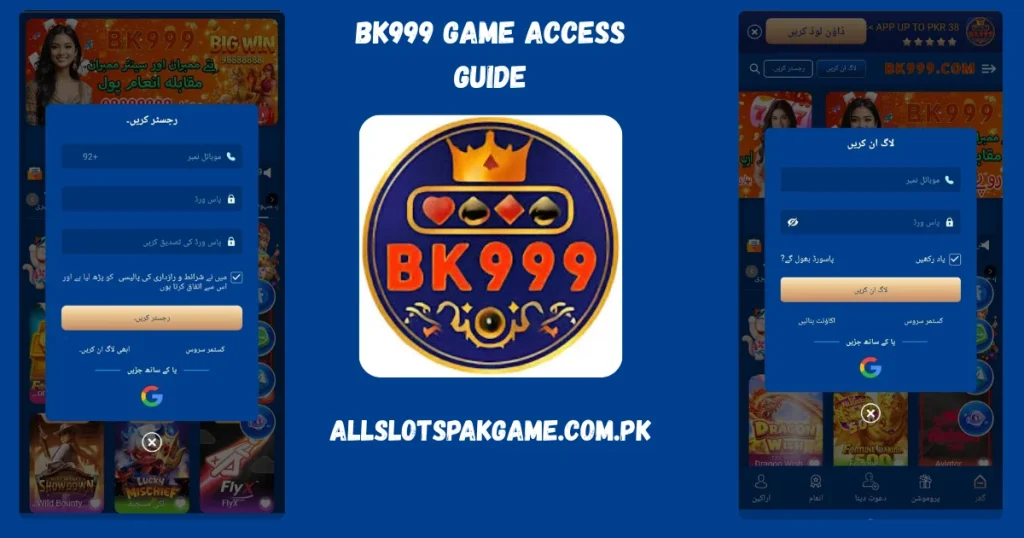
Creating an account in BK999 Game begins from the registration area shown on the page. Registration fields can change over time, so follow the labels displayed during the sign-up process instead of relying on an old list of fields.
A phone number, password, or verification code may be requested. Enter your own information carefully and keep the password private. If a referral field is shown, follow the instructions attached to that field rather than assuming it is required.
After registration, open the profile or account area in BK999 Game and check the information saved there. If login does not work, confirm the entered details and internet connection first. If a verification step is required, use the code only on the intended account page.
Common Access Problems
Access problems in BK999 game can have different causes, so the first check should match the symptom.
| Problem | First check |
|---|---|
| Page does not load | Internet connection and page address |
| Login is rejected | Entered account details and verification status |
| APK will not install | Android version, storage, and existing installation |
| Application closes | Device storage, compatibility, and current version |
| A game card is missing | Current menu and available platform version |
If the first BK 999 check does not solve the problem, note the exact error message before changing other settings. A clear error message can help show whether the issue is related to the account, application, device, or connection.
Privacy And Permission Checks
Keep the BK999 account password, verification codes, and personal details private. Do not post them in public comments or send them to people who claim to provide account assistance.
Android also provides a permission page where installed applications can be reviewed. The BK999 permission path depends on the device, but the settings normally show which phone features the application can access. Recheck these permissions after a major update or when the requested access changes.
Do not provide personal information simply because a form displays a blank field. Enter only the details required by the current account process. If the BK999 page suddenly asks for information that was not previously required, stop and check the page before continuing.
Version Changes And Current Menus
The visible BK999 Game interface can change when a new version is released. A game card may move to another row, a menu label can change, or a shortcut may appear in a different position. Older BK999 instructions may therefore describe a layout that no longer matches the current page.
When the layout changes, compare the current labels and menu positions with older instructions before assuming that something is missing. The same applies to BK 999 game titles that are no longer visible in their previous location.
Avoid installing several packages simply because their names look similar. Keeping only the intended version installed can also make troubleshooting easier.
Common Questions
Is BK 999 Game an Android application?
If an Android APK is provided for the service, it can be installed as an Android application after checking its source, compatibility, version, and permissions.
Can the game list change?
Yes. Titles and their positions can change when the interface or application version is updated.
What should I check before an APK install?
Check the source, Android compatibility, file details, available storage, and permissions requested during installation.
Why might an APK fail to install?
An incompatible Android version, low storage, an incomplete download, or an existing version of the same application can cause installation problems.
What should I do if login fails?
Check the entered account details and connection first. If the issue remains, use the recovery or support option provided on the account page.
Final Takeaway
The interface, game list, and menu positions can change between versions, so older descriptions should be used only as general reference. For Android access, verify the APK before installation and keep account credentials private. Following the labels and settings shown on the current device can help avoid unnecessary confusion.
Download links
How to install BK999 Game Download APK New Earning APP In Pakistan 2026 APK?
1. Tap the downloaded BK999 Game Download APK New Earning APP In Pakistan 2026 APK file.
2. Touch install.
3. Follow the steps on the screen.