
Done 55 Game APK Download New Earning APP In Pakistan
08 Oct 2026
19.69 MB
V2.0
Android 5.0+
2000+
Description
Done 55 Game brings multiple digital game titles into one mobile-focused interface. Its main screen uses game cards, category controls, search, and navigation elements to keep different titles in one place. The layout is built around visual cards, short labels, and compact sections, so the main area can show several choices without long descriptions. Done 55 Game keeps this structure focused on browsing.
For someone exploring Done 55 Game for the first time, the useful details are the game selection, screen layout, account area, Android access, and the way individual titles are presented. The sections below focus on those points without adding technical details that are not clearly available. Done 55 Game is described through the parts visible in its layout.
How the Main Interface Is Organized
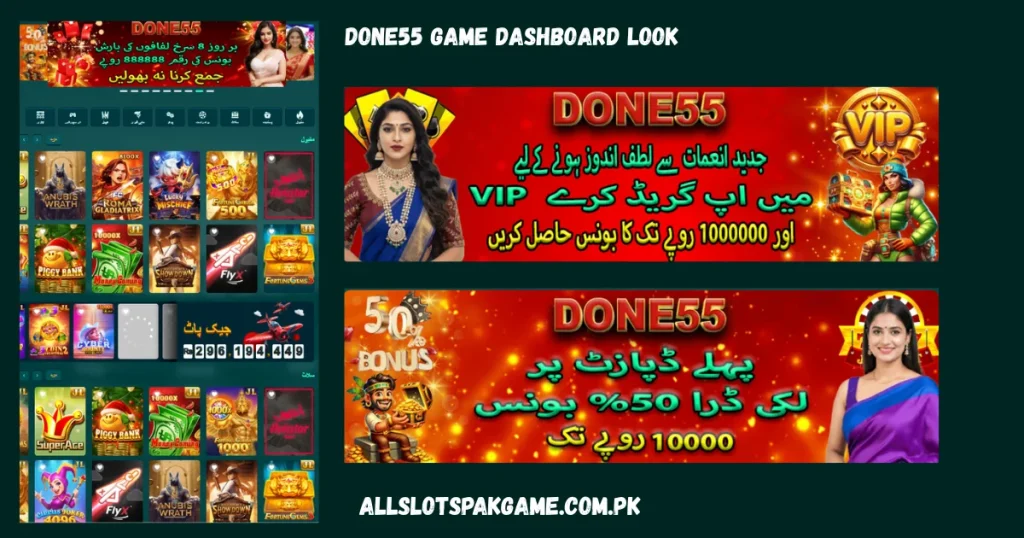
Done55’s main screen has a dark green background with the game area placed in the center. A search field appears near the top, followed by small navigation buttons. Game cards are arranged in rows, with each card using its own artwork and title.
A vertical group of icons appears along the right side. These controls provide access to different areas of Done 55 Game, while the central section stays focused on game titles. Social-style buttons are also placed on the left side.
The layout relies more on images and icons than long text. This gives Done55 a compact structure where the main game area remains easy to scan. Also try P44 Game.
Game Sections and Visible Titles
Several groups appear across the main game area. One section contains titles such as Anubis Wrath, Fortune Gems, Showdown, and FlyX. Other visible cards include Super Ace, Piggy Bank, Clover, and additional titles with different artwork.
A separate row contains additional cards with different names and artwork. More game cards appear below this area, showing that Done 55 Game keeps several types of content within the same interface.
The exact order of these cards is part of the displayed layout rather than a permanent list. What matters for browsing is that titles are grouped into rows, and each card can be opened separately.
Search, Navigation, and Account Controls
The top area gives access to search and category controls, while the side icons provide shortcuts to other parts of the Done 55 Game. These controls reduce the need to move through several separate pages when looking for a title.
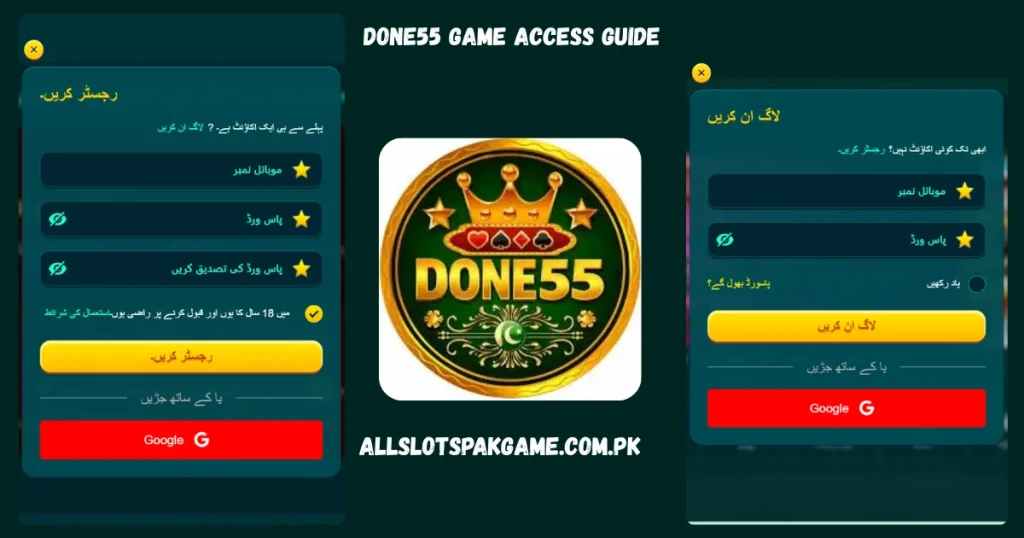
Done 55 Game also includes an account area, but the available view does not establish every registration field or setting. It is better to use the fields shown during account creation than to rely on a fixed list copied from an older guide.
Account-related options can also vary between releases. For that reason, the account page itself is the most useful place to check the details attached to a profile.
Android Access and APK Information
Done 55 Game is arranged around a compact mobile-style layout, with small cards and navigation controls suited to phone use. The same type of layout can also appear on wider displays, but the main content remains focused on game cards and quick navigation.
An APK may be offered for Android access, but a specific file size, package name, Android requirement, or release number is not established here. Those details belong to the current listing and should not be filled in from assumptions or old information.
If the app is installed through an APK, the file should be obtained from Done 55 Game. The installation screen will show the permissions and other details requested by the device before setup is completed.
How Individual Games Are Presented
Each title has its own card, artwork, and name. Opening a card takes the player to the selected game area, where its own controls and instructions apply. The design of one title does not automatically explain how another title works.
For example, Anubis Wrath and Fortune Gems use different visual themes, while FlyX and Showdown have their own card designs. This makes the game grid easier to browse because the artwork helps separate one title from another.
The useful approach is to read the instructions attached to the selected title before using its controls. A general rule for one game should not be treated as a rule for every title in the service.
Game Rules and On-Screen Controls
Rules and controls can vary from one title to another. Some cards may open a simple game screen, while others can use a different control layout. The selected game page is therefore the proper place to understand its buttons, instructions, and available options.
Done55 does not need one universal set of rules because the titles are presented as separate game areas. Reading the information shown for the selected title gives a clearer picture than relying on a general description.
This also helps avoid confusion when two cards look similar but use different controls. The title page provides the context needed to understand the selected game.
Content Changes and Interface Updates
Game titles, banners, category positions, and menu controls can change when Done55 is updated. A title that appears in one row today can be moved to another section later, while new cards can also appear in the game area.
Done 55 Game should therefore be viewed through the layout and content shown at the time of access. Older descriptions can still explain the general structure, but individual titles and menu positions may not remain the same.
The same point applies to technical information. File details and device requirements should come from the listing connected with the version being used rather than from an old article.
Common Access Problems and Fixes
A page that does not load, a missing game card, or a login problem can have different causes. Start by checking the internet connection and reload the page or app. If other sections work while one title does not, the problem may be limited to that game.
A partially loaded interface can also result from a temporary connection or browser issue. Closing and reopening the Done 55 Game can help establish whether the problem is temporary.
For account-specific problems, the support or help area is the appropriate place to look for instructions. Avoid relying on random copies of an APK or old access instructions when the intended source provides newer information.
Privacy and Account Information
Account setup is the point where personal details may be requested. Only enter information that the registration form actually asks for, and keep the password separate from passwords used on other services.
For an Android installation, checking the permissions requested by the app is also a useful basic step. The permission list belongs to the installed application, so it should be reviewed on the device rather than guessed from a general article.
Done55 account details should also be kept private. Login information does not need to be shared with another person for normal account access or support.
What to Check Before Access
Before opening a title, check its name, instructions, and controls on the selected page. For an account, review the fields requested during registration and the options provided in the profile area.
If an APK is involved, check the file information shown by the intended source, including the version and device requirements when those details are provided. Privacy information and support options are also useful parts of the service to review.
These checks keep the focus on information that can affect normal use without adding assumptions about features that are not clearly listed.
A Closer Look at the Grid
The game grid is the main browsing area of Done 55 Game. Cards are placed close together, allowing several titles to remain visible at the same time. Artwork, short names, and small labels help separate one card from the next.
The arrangement also makes the different rows easy to distinguish. Regular game cards appear in one group, while additional cards are shown in another. Lower rows continue the same card-based structure with additional titles.
This visual approach keeps the main screen focused on selection rather than long descriptions. A player can scan the available cards first and then open the title that needs closer attention.
Final Overview of Done 55 Game
Done55 places multiple game titles, search, category controls, account access, and visual game cards within one interface. The most useful information comes from the actual title cards, their individual instructions, and the controls provided around the main game area.
The visible selection and menu order can change with updates, so technical details should be taken from the relevant current listing. For everyday browsing, the central game grid and navigation controls provide the main route through the service.
Frequently Asked Questions
What Is Done 55 Game?
Done 55 Game is a digital gaming service that places multiple titles in one interface with game cards, navigation controls, and separate sections.
Which Titles Are Visible?
The displayed selection includes Anubis Wrath, Fortune Gems, Showdown, FlyX, Super Ace, Piggy Bank, and other changing titles.
Is an APK Available?
An APK may be provided for Android access. File size, version, package name, and device requirements should be taken from the relevant listing when supplied.
Can the Game List Change?
Yes. Titles, banners, rows, and menu positions can change when Done55 is updated.
Do All Games Use the Same Rules?
No. Rules and controls can vary by title, so the instructions shown for the selected game are the most relevant reference.
What Should I Check Before Using Done55?
Check the selected game’s instructions, account fields, APK details when applicable, privacy information, and available support options.
Download links
How to install Done 55 Game APK Download New Earning APP In Pakistan APK?
1. Tap the downloaded Done 55 Game APK Download New Earning APP In Pakistan APK file.
2. Touch install.
3. Follow the steps on the screen.